Spend management software: why connect it to your accounting system?
Expense management software linked to your accounts : no more double entry, invoices reconciled automatically and faster month-end closings. What are the benefits ?
Reading time : 11 min
Updated on : 16 November 2026

Stéphanie : Procurement expert
Spend management doesn’t stop once a purchase order has been approved. From the initial request and budget commitment to goods receipt and invoice processing, every step generates information that both procurement and accounting teams need. Yet when their tools don’t talk to each other, teams end up re-keying data, matching documents by hand and multiplying checks. Connecting your spend management software to your accounting system helps streamline the Procure-to-Pay (P2P) process, makes cost allocation more reliable and gives better visibility over financial commitments. Provided, that is, you choose a solution that genuinely covers procurement spend and integrates with your information system.
4 key takeaways ✅
- Spend software centralises and secures the tracking of purchases, from the initial request through to supplier invoice processing.
- Integrating it with accounting reduces double entry, makes order-receipt-invoice matching easier and improves the traceability of transactions.
- A connected P2P solution lets procurement and finance teams share consistent data and manage budgets more effectively.
- Success depends as much on data quality and processes as on technical compatibility between systems.
What is spend management software?
Spend management software is a solution designed to organise, control and analyse a company’s spending. You will also see it described as a spend management platform, system or solution.
Definition and functional scope
The aim of a spend management solution is to give visibility over committed amounts, completed purchases and the related invoices, while making it easier to follow internal procedures.
On the procurement side, it can cover a range of features:
- creating and approving purchase requests,
- browsing supplier catalogues and issuing purchase orders,
- controlling budgets and commitments,
- tracking receipts of goods and services,
- matching and approving supplier invoices,
- analysing spend by supplier, category, project or cost centre.
The challenge is therefore not simply to record spend after the event, but to look further ahead and control spend from the moment it is committed.
📌 Key takeaway
Procurement-focused spend management software works upstream of accounting: it helps prevent discrepancies rather than discovering them once invoices have been posted.
Purchasing spend, expense claims, company cards: what’s the difference?
Not all spend management tools cover the same scope. Here are the main categories of solutions on the market.
A solution built for expense claims will not necessarily meet the needs of a procurement team that manages purchase orders, partial deliveries, supplier contracts or multi-year commitments.
Important : before choosing a tool, define which categories of spend you want to manage and at which point in the process you want your controls to apply.
Spend management, e-procurement and P2P: how do they fit together?
These three concepts are complementary, but they are certainly not synonyms!
- E-procurement refers to the digitalisation of procurement processes, in particular purchase requests, catalogue browsing, approval and ordering.
- Procure-to-Pay (P2P) covers a broader scope: it links procurement steps to goods receipt, invoice control and preparation for payment.
- Spend management adds a layer of control and steering: it tracks commitments, analyses purchases and checks their compliance with budgets and internal policies.
An integrated P2P solution therefore supports spend management by linking procurement operations to financial information.
Why connect your spend management software to your accounting system?
Connecting spend management and accounting software lets you eliminate errors and time-consuming tasks, automate matching, speed up the month-end close, track commitments in real time and strengthen your audit trail.
Eliminate double entry and coding errors
When procurement and accounting tools are disconnected, the main risk is that the same information is entered several times: supplier, order reference, amount, VAT rate or cost code. And not always against the same master data. This duplication takes time and increases the risk of inconsistencies between systems.
A suitable connection lets you transfer approved information to the accounting system, according to the integration rules your organisation defines. Finance teams can then focus on controls and exception handling rather than re-keying data. This quickly translates into:
- fewer manual re-entries,
- more consistent supplier data,
- fewer coding errors,
- stronger traceability between order and invoice,
- simpler consolidation.
Watch out ⚠️
Automation does not remove the need to define coding rules and to check the data being exchanged.
Automate purchase order, receipt and invoice matching
Invoice matching means checking that invoiced amounts match authorised purchases and, where relevant, the goods or services actually received.
Without automation, this requires tracking down several documents, comparing their details and chasing operational teams whenever there is a discrepancy. Not to mention the difficulty of tracing documents and flows.
With P2P software, matching can be carried out automatically as soon as the data is available and the conditions are met. Teams then focus first and foremost on exceptions: price differences, incorrect quantities, missing receipts or invoices without a purchase order.
📌 Key takeaway
The value of automatic matching is not just speed. It also means human checks are focused on the invoices that really need them.
Speed up the month-end close
At the end of each period, accounting needs to identify invoices received, outstanding commitments, and goods or services received but not yet invoiced. When this information is scattered across several systems, documents or spreadsheets, consolidating it can become time-consuming, even risky.
A connected procurement system makes it easier to access orders, receipts and invoice statuses. It helps you reliably track goods received not invoiced (GRNI) and the commitments that still need to be accrued.
Of course, this doesn’t make the close automatic or instant: it still depends on accounting procedures, data quality and the required controls. But teams have more accessible information to prepare their work. The most time-consuming phase shrinks, leaving more time for what really creates value for the organisation.
Track budget commitments in real time
A posted invoice is spend that has already happened. To manage budgets effectively, you need to know what has been committed but not yet invoiced. This is one of the main benefits of connected spend management. Budget holders can distinguish between:
- the initial budget and the remaining budget,
- purchase requests in progress,
- committed purchase orders,
- goods or services received,
- invoices recorded.
You spot overspend risks in real time and make better-informed purchasing decisions. With procurement software, buyers can track allocated budgets, committed amounts and available budget from the purchase request onwards.
Strengthen your audit trail
To justify a purchase, keeping the invoice is not enough: you need quick access to the evidence showing how the purchase was made, who was responsible and which controls were applied. A digitalised P2P process secures the information attached to each transaction: initial request, approvals, purchase order, receipt, invoice and handling of discrepancies.
It makes internal controls and audits easier. Traceability must, however, be backed up by appropriate rules on retention, document access and security.
Want to cut re-keying between procurement and accounting?
Discover how Oxalys’ supplier invoice management features and connectors can help streamline your P2P process.
Discover invoice management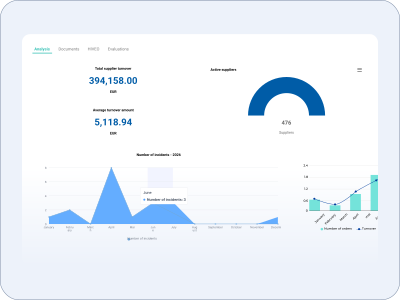
How does the connection between spend management and accounting work?
The connection relies on three elements: the data exchanged, the connectors and the matching process.
Data exchanged: suppliers, orders, invoices, cost allocation
Integration means allowing information and flows to circulate between the spend management system, the ERP and finance tools. These exchanges mainly concern supplier master data, accounts and analytical dimensions, purchase orders, receipts, invoices and their statuses.
It is essential to define which system is the source of truth for each type of data. For example, the chart of accounts can remain managed in the ERP, while requests and orders are handled in the procurement solution. This split avoids competing, and ineffective, master data.
Native connectors, APIs or file exchanges: what are the options?
Several integration methods can be considered:
- standard connectors, where they exist for the applications concerned,
- APIs, which enable exchanges between systems depending on the interfaces available,
- structured file exchanges, for example to synchronise certain data periodically.
The right choice depends on your IT environment, the volumes involved, the update frequency you need and your security requirements.
You also need to plan for error handling: what happens when a supplier isn’t recognised, a cost code is invalid or a transfer fails? A reliable integration must make it possible to detect, correct and track these incidents.
The role of two-way and three-way matching
Two-way matching compares the purchase order with the invoice and checks that the invoiced details are consistent with the purchase terms. Three-way matching adds the goods receipt or confirmation that the service was delivered.
Three-way matching is particularly relevant when the receipt is key evidence that the purchase was properly fulfilled.
E-invoicing: what the new mandates change for your spend
As e-invoicing becomes mandatory in more and more countries, such as France with its reform starting in September 2026 and the European Union with its VAT in the Digital Age (ViDA) package, data quality and interoperability between systems matter more than ever.
Where a mandate applies, companies must receive invoices through an approved e-invoicing platform, then feed them into their processing and accounting workflows. It helps to distinguish three steps:
- regulatory receipt of the e-invoice in a compliant format,
- business control, in particular matching against purchase orders and receipts,
- accounting processing and tracking through to payment.
Spend management software can handle the second step and interface with the tools that perform the others. Its compliance with a given mandate cannot be taken for granted, however: it depends on the chosen architecture and the features actually available.
📌 Key takeaway
E-invoicing does not replace spend control. It makes continuity between the invoice received, the authorised purchase and the accounting entry even more important, and gives you the means to automate more easily.
Which KPIs can you track with spend management software connected to accounting?
Connecting procurement and accounting lets you build shared performance indicators for the procurement team, the CFO and operational managers. A key step towards smoother relationships, stronger performance and better collaboration between teams.
Committed spend vs budget
This indicator compares recorded commitments with the allocated budget. It helps identify cost centres or projects at risk of exceeding their budgets, before invoices even arrive. It is useful to distinguish firm commitments from requests still awaiting approval, to avoid any confusion in the analysis.
Invoice processing time
Average invoice processing time measures the time between two clearly defined steps, for example receipt of the invoice and its approval for payment. This indicator helps identify bottlenecks: invoices without a purchase order, late approvals, disputes or coding issues. To be meaningful, it must be calculated using the same events and rules for every entity compared.
Automatic matching rate
This KPI measures the proportion of invoices matched without manual intervention.
The denominator must be defined precisely. Some invoices, particularly those not linked to a purchase order, may follow a different processing route. A low rate can reveal issues with data quality, compliance with the purchasing process or tolerance settings.
Share of off-contract spend
Maverick spend refers to purchases made outside the company’s agreed purchasing process. Tracking it helps you measure how well the procurement policy is applied and spot the categories where employees bypass procedures. See also our levers for procurement optimisation.
The analysis must, however, distinguish non-compliant purchases from authorised exceptions, such as certain urgent or specific purchases.
📌 Key takeaway
A good dashboard doesn’t just measure how much is spent. It highlights process quality, the level of automation and your ability to anticipate budget drift.
How to choose spend management software that works with your accounting tools
Here are 4 key criteria for comparing spend management tools: compatibility with your information system, functional coverage, e-invoicing readiness and ease of adoption.
Compatibility with your ERP and accounting software
The first criterion is the solution’s ability to integrate with your existing environment. Beyond the “ERP-compatible” label, ask for a precise description of the supported flows:
- supplier data and how it is synchronised,
- charts of accounts and analytical dimensions,
- purchase orders and receipts,
- invoices and the information needed to post them,
- statuses, controls and handling of exchange errors.
Also check the terms for maintaining interfaces when the software is updated.
Full coverage of the purchasing cycle, from request to payment
Watch out! Functional coverage is a real issue. A spend software that only processes invoices does not necessarily give you visibility over spend before it happens.
To control commitments, choose functional coverage that matches your purchasing cycle: requests, approvals, purchase orders, receipts, invoices and exchanges with the finance system. Make a clear distinction between preparing and approving invoices for payment and the actual bank payment, which can remain in the ERP or another finance tool.
E-invoicing readiness
E-invoicing should be part of your requirements. Ask the vendor about the exact scope of its solution: receipt of invoice data, integration with an approved platform, matching with purchase orders, transfer to accounting and status management. Which automations does the solution offer thanks to e-invoicing?
A simple PDF import feature is not enough to take advantage of the regulatory framework.
Ease of adoption by procurement and finance teams
Technical integration does not guarantee user adoption, and every rollout needs to anticipate this. An effective tool meets the needs of several profiles: requesters, approvers, buyers, budget holders and accountants.
Usability should not be reserved for specialists, but designed for everyone. Points to assess include simple approvals, visibility of statuses, easy access to supporting documents and the ability to handle exceptions.
Does your CFO want hard numbers on ROI?
Time spent re-keying data, number of invoice exceptions, approval lead times: good starting points for building a diagnosis with Oxalys experts.
Talk to an Oxalys expert
Mistakes to avoid when integrating with your accounting system
Most of the time, difficulties arise when master data alignment is neglected, functional coverage is too narrow or IT is not involved in the rollout.
Neglecting the alignment of the chart of accounts and analytical dimensions
Efficient interfaces cannot make up for inconsistent data in the long run. Before connecting your tools, start by clarifying your coding rules: accounts, cost centres, projects, entities and purchasing categories. The same expense must be interpreted correctly by every system.
⚠️Watch out
Aligning master data and coding rules is a project in its own right, to be planned well ahead of the rollout.
Choosing a tool limited to expense claims
Expense claims are one part of spend management, but they don’t represent all of a company’s purchases. An organisation that wants to control its supplier orders, services or capital expenditure must check that the solution covers these processes.
The real risk is multiplying specialist applications without ever getting a consolidated view of commitments, and adding yet another building block without being able to consolidate your data easily.
Launching the integration without involving IT and accounting
Spoiler: a spend management project doesn’t only concern buyers!
IT must validate the technical architecture, security and exchange methods. Accounting must define the data required, coding rules and controls. Operational managers should help design the approval workflows. Involving these stakeholders from the scoping phase limits the difficulties encountered during rollout.
📌 Key takeaway
Interfacing two pieces of software is a technical and business project. Building a reliable procurement-to-finance chain is a matter of organisation, data governance and collaboration between teams.
How Oxalys connects your procurement spend to your accounting
The Oxalys Procure-to-Pay solution supports every step of the procurement process, from the expression of needs to supplier invoice management, including purchase requests, orders and receipts.
A single flow, from purchase request to approved invoice
With Oxalys, your approval workflows can be configured to match your rules. Order and receipt information is used to make invoice control easier. Features such as configurable automatic matching, dispute management and approval workflows simplify and streamline the entire chain.
Native integration with your ERP and accounting software
Oxalys offers integration options with accounting and finance software. After an initial assessment, our experts connect your ERP, provided it offers the necessary openness and the flows and data you want to interface are available.
Budget control at every stage of spend
Oxalys lets you track budgets across different allocation dimensions, such as projects, departments, cost centres or GL codes. You get a view of pre-committed, committed, received and invoiced amounts, so you can align purchasing decisions with financial information and give budget holders better visibility over their room for manoeuvre.
They connected procurement and accounting with Oxalys: the French Football Federation
The French Football Federation (FFF) is a concrete example of integration between commitment management and accounting.
The finance department’s main challenge is to maintain the FFF’s financial balance over the long term, by optimising and securing the use of federation resources in support of the objectives set by its Executive Committee. This was the context for a project to modernise the finance chain and the management of spending commitments, with a clear objective: to break down silos in financial information between and within departments, and make staff more accountable. As Christophe Moreaux, Head of Management Control, explains:
“One of our goals was to decentralise the management of spending commitments to departments, so that they take ownership of their budgets.”
Christophe Moreaux, Head of Management Control, FFF
The organisation originally relied on several tools, including an accounting system, a procurement solution and spreadsheets. Re-keying and manual consolidation limited the overall visibility of commitments.
Working with the Oxalys teams, the FFF chose to connect its Oxalys solution with Cegid accounting to exchange invoicing data and procurement information, including suppliers, accounting entries and payment approvals.
“The procurement department now only handles the administrative side of topics where it brings real expertise, and our management controllers can focus on control and analysis rather than production. As users better understand the processes, they also improve the quality of the data collected and come to us for higher-value tasks. No more tedious searches, now that the information is accessible to everyone.”
Christophe Moreaux, Head of Management Control, FFF
This case shows the value of an architecture in which procurement, budgeting and accounting applications share information, rather than working in isolation. Discover more customer stories.
Connect spend management and accounting for stronger procurement and finance performance
Connecting spend management software to your accounting system therefore goes well beyond removing duplicate data entry. Its purpose is to build financial information that is more reliable, more accessible and more actionable.
For procurement, it makes it easier to follow procedures and track commitments. For accounting, it improves access to supporting documents and to the data needed to process invoices. For the finance department, it provides a more complete view of budget consumption.
The value of a connected solution does, however, depend on three conditions: suitable functional scope, consistent data and processes shared across teams. Every item of spend should be traceable from the purchase request through to its accounting treatment.
Track every item of spend, from purchase request to accounting entry
Find out how Oxalys can support the digitalisation of your P2P process, with a demo tailored to your environment.
Book an Oxalys demo
Contents 📝

Spend management software FAQ 💡

What is spend management?
Spend management covers all the processes and tools a company uses to control, track and analyse what it spends: purchase requests, approvals, orders, receipts, supplier invoices and budget tracking. Unlike simple bookkeeping, it focuses on controlling spend before it is committed, not just recording it afterwards.
What is the best spend management software for a business?
There is no single best tool: the best spend management software is the one that matches your challenges. The choice depends on your purchasing volume, the complexity of your approval workflows, the tools already in place and your reporting needs. A company that wants to control its supplier commitments should assess P2P coverage, accounting integration options and budget control features in particular.
What is the difference between spend management software and accounting software?
Spend management software lets you track and control purchases, particularly before they are invoiced: its focus is procurement. Accounting software records transactions in line with the applicable accounting rules: its focus is accounting compliance. Connecting the two lets them share the information they need and reduces manual processing.
Is spend management software compatible with e-invoicing?
Spend management software doesn’t need to be “compatible” with e-invoicing as such. What matters is how it makes use of e-invoicing to simplify your work. This depends on its features and how it integrates with the other components of your information system. Always check the scope covered by the vendor and its partners.
How long does it take to connect spend management software to an ERP?
There is no standard timeframe: it depends on the connectors available, the number of flows, the quality of master data, the business rules and the testing required. A standard integration may be simpler than a project requiring custom development, but only a technical and functional scoping exercise can produce a reliable timeline.
Similar articles
More than 50,000 professionals have already adopted Oxalys. Discover how to transform your procurement processes every day.
Oxalys is your 100% customisable procurement management solution that evolves with your business.